Onboarding and self-driving setup

Designed to go live in a day.
No implementation project. No admin retainer. Hand Kipso the files you already keep. It builds your program, turns your approval policy into rules, invites your people and tells you when it's ready to go live. You answer its questions and sign off.
Being built now Self-driving setup runs in the demo today; the admin assistant is in development.
Four commitments
We want onboarding to be the reason owners pick us. These are the standards we hold ourselves to, and we'll measure each one with the first owners that use it on real projects.
- Designed to go live in a dayOur target: upload to go-live in under 24 hours for a typical starting set. Setup runs on its own; people step in only for exceptions and sign-offs. Years of history take longer.
- A first win in the first hourProcess a real change order or pay app of your own before setup is finished.
- No manualsHelp in place on every screen, and a quick-start for each role written from your own projects and people.
- A real person when you need oneAsk for a person at any point. Our goal is a fast reply from a real person during business hours.
No implementation project to pay for
In public contracts for enterprise project systems, setup, data migration and admin support often cost more than the software. Here, the AI does that work, so it's part of the price.
What implementation really costs, from public recordsYour first year, side by side
How setup works
Designed for upload in the morning and sign-off in the afternoon
The target is upload to go-live in under a day for a typical starting set, with your finance lead confirming the totals reconcile. How long it really takes depends on how much history you bring: Kipso Bridge handles the volume, and your answers to its questions set the pace. We'll prove it on real projects before we promise it in a contract.
- 8:00 AM. Drop in the files you already keep.
- Kipso builds the program and turns your policy into approval rules.
- It stops only when it isn't sure, and asks you.
- Within the first hour, you check and certify a real pay app of your own.
- By mid-afternoon the totals reconcile, finance signs off, and you're live.
1. Bring what you have
Your budget workbook, contract PDFs, vendor and staff lists, accounting exports, an export from your current system, and a sentence or two about your approval policy. Kipso Bridge reads them as they are, with no templates to fill in first.
2. It builds the program
Projects, funding sources, budget lines, contracts and schedule-of-values lines. Your policy becomes approval rules. People get invited by role, with a quick-start written from your own projects.
3. Your first win
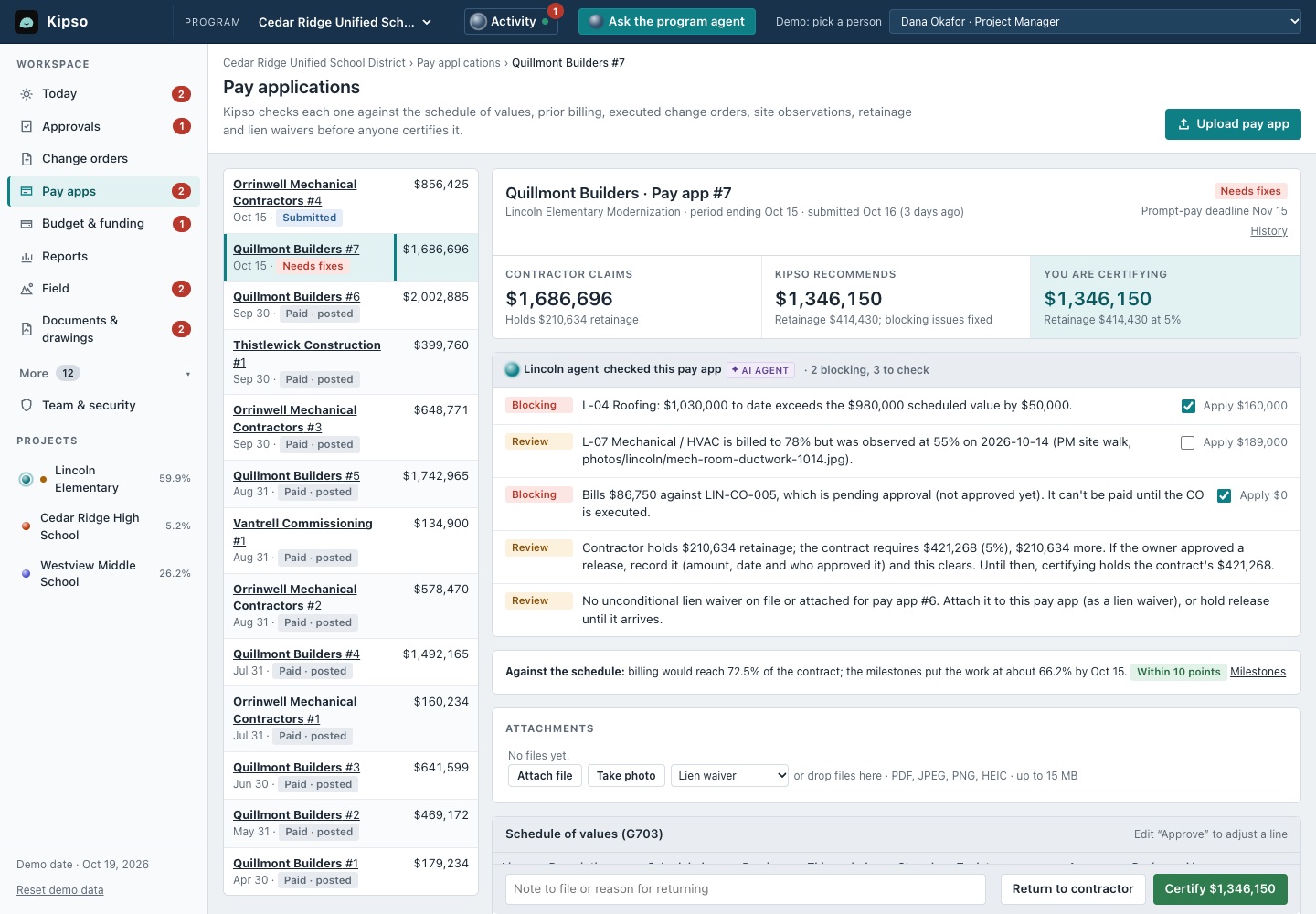
While it builds, Kipso picks up a real item of yours, such as the pay app that just arrived, and walks you through checking and certifying it. That's the first hour.
4. You answer exceptions
It runs on its own and stops only for items it isn't confident about ("Is the Westview contract $6.2M or $6.8M?") and for sign-offs. You can also step through every item yourself.
5. Totals reconcile
Budgets, commitments and fund balances are reconciled to your workbook and accounting exports, to the cent, and your finance lead signs off that they match. A readiness check lists anything still missing, such as a contract without a retainage rate.
6. Practice first
Every owner will get a sandbox: a full practice copy you can reset with one click. Train your team and test new workflows there, never in production.
Step 1, in depth

Bring your existing data with Kipso Bridge
Moving your existing projects in is a big part of going live. Kipso Bridge does it as part of setup, and moving into Kipso is free.
What you can bring
- Spreadsheets: budget workbooks, staff and vendor lists, as you keep them today.
- PDFs: contracts and contractor pay apps, including scanned ones.
- Accounting and ERP exports: vendors, budgets, purchase orders and payments.
- Exports from your current project system, if you have one.
What Bridge does
- Reads and matches your files with AI, and asks your team only about the exceptions.
- Loads into Kipso and checks every field it loaded.
- Reconciles to your accounting to the cent, so finance can sign off.
- Can undo a whole load in one step.
Using a different system? Bridge moves data there too.
Who's involved
At a smaller owner, this is often two or three people doing several of these jobs, which is why setup is mostly automated.
Executive sponsor
Facilities, bond program, public works or capital projects director. Agrees the goal and the approval policy, then sees the program on day one.
Implementation lead
Program controls or capital program manager, a PMO analyst, or your owner's rep. Hands over the files and answers Kipso's questions.
Finance
Controller, budget analyst or AP supervisor. Checks that the totals reconcile to the books and signs off before go-live.
IT
IT project manager or ERP analyst. Reviews security and data handling and the accounting export. No IT project needed.
Self-driving admin
An admin assistant instead of an admin contract
Small facilities teams don't have a system administrator. Kipso includes an assistant inside the app that handles the requests that usually become support tickets.
It acts with the permissions of the signed-in person asking. Changes to permissions, approval rules or anything public need their confirm click, and admin changes are recorded in the audit log with the person and time.
Things you can ask it
- "Add Maria Lopez as project manager on Lincoln."
- "Why did this change order go to the CFO?"
- "Raise the director's limit to $50,000, per the board's new policy."
- "Send me open change orders by school every month."
Coming later
Training that feels personal
We're exploring voice and video where they make setup faster or training more personal. None of these exist yet.
- Narrated role walkthroughs made from your own projects. Planned
- Setup by conversation: describe your approval policy out loud and review the rules it produces. Planned
- A phone line to the admin assistant. Planned
Our rules for AI voice and video:
- Every AI voice or presenter is labelled as AI. None is ever presented as a member of our staff.
- Captions on everything, plus a text transcript.
- Every voice request leaves a written record and a result you can review before it takes effect.
Planned for every subscription
- Setup and data import. No statement of work.
- Support. From the people who build it.
- A sandbox. Reset it whenever you like.
- The admin assistant. No retainer.
- Unlimited users. Including contractors and consultants.
- The agent. Drafting, checking and reporting aren't an add-on.
For every role on the program
A first-week walkthrough for each role, from the demo. Everyone who touches a project can be in it, and users are unlimited.
Common questions
How long does setup take?
It's designed to go live in a day: upload in the morning, sign off in the afternoon. That's our target, and you can watch self-driving setup run in the demo.
What do we need to send?
The files you already keep: your capital budget workbook, contract PDFs, staff and vendor lists, and a sentence or two about your approval policy. No templates to fill in first.
What if our spreadsheets are messy?
Kipso asks only about what it can't work out, such as two different contract amounts for the same project. You answer those questions, and your finance lead signs off that the totals reconcile before you go live.
Is there an implementation fee?
We don't plan one. Setup, data import, support and the admin assistant are meant to be part of the subscription, with no statement of work and no admin retainer.
Can we practice before going live?
Yes. Every district will get a sandbox, a practice copy you can reset whenever you like, for training and testing new workflows. You can try one now with sample data.
Who do we call if we get stuck?
A real member of our team. Our goal is a fast reply from a real person during business hours.
Who needs to be involved in setup?
Usually four roles: an executive sponsor who agrees the goal and approval policy, an implementation lead who hands over the files and answers Kipso's questions, finance to sign off that the totals reconcile, and IT to review security and the accounting export. At a smaller owner that's often two or three people, which is why setup is mostly automated.
Can we bring our existing data?
Yes. Kipso Bridge reads your spreadsheets, PDFs (scanned ones too), accounting exports and exports from your current system, asks only about the exceptions, loads it into Kipso, checks every field and reconciles to your accounting to the cent. Moving into Kipso is free.
Be one of the first owners to set up this way
It's an early preview: free to try with sample data, no sign-up. If you want to use it on your project, tell us.